Cezar in Enterprise Sandbox
Close the laptop.The agent keeps working.
Leave a bug fix or a feature with Cezar before you head out. It coordinates the coding agents and their task queue in your Sandbox. Enterprise Sandboxes stay online 24/7, so the work can continue after you close your laptop.
Animated example of Cezar building an issue tracker in Sandbox, from a task description to the running app and a branch ready for review.
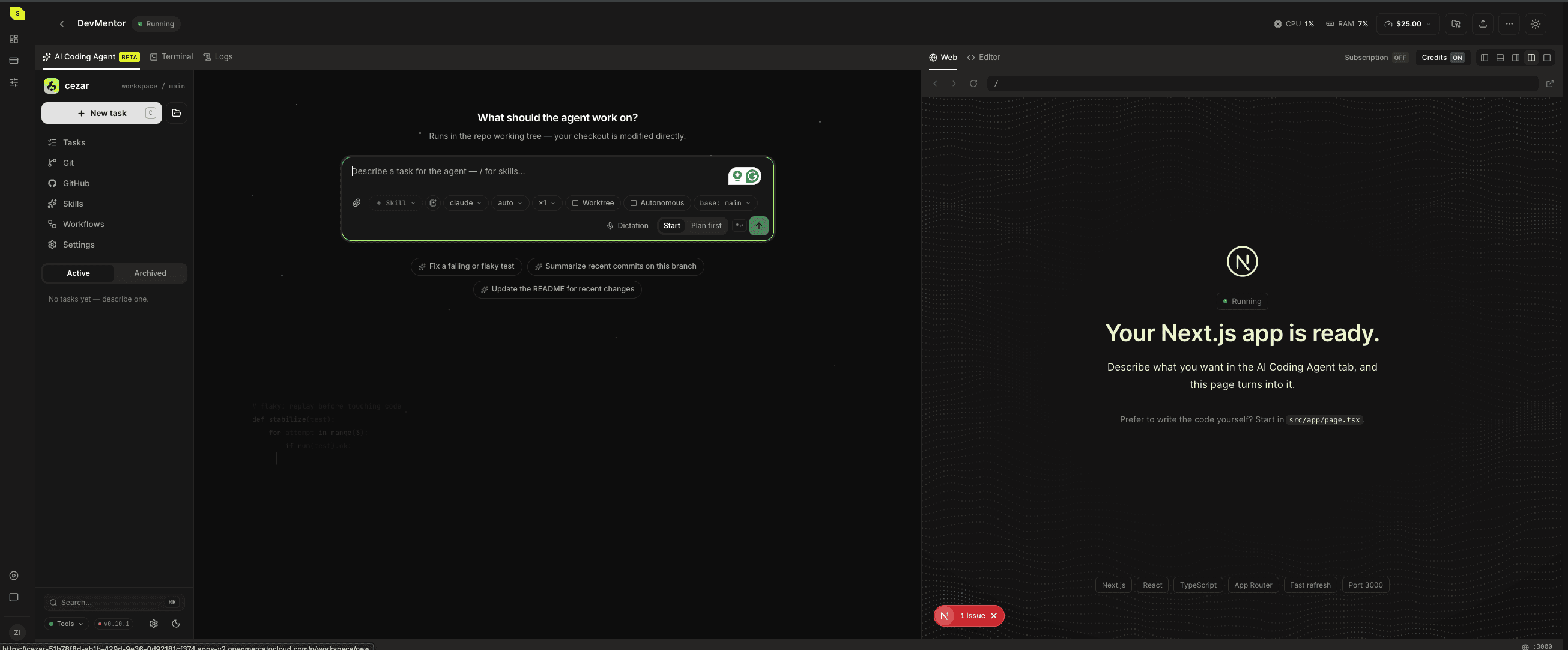
 cezar
cezarConnected
and ready
- Cezar
- Claude Code
- Codex
- GitHub
- VS Code
- OpenRouter
A question on one task can wait. The next task can start.
When an agent needs your answer, Cezar can give its free slot to the next task in the queue. Each task has its own branch, so you can review the changes separately when you return.
01 task.add()
Describe the job
Write a task or turn a GitHub issue into one. Give the agent the context you would give a colleague: what is wrong, what should happen and how to check it.
02 agent.start()
Choose how it runs
Use Claude Code or Codex with saved instructions and checks. For work you repeat, save a workflow that has one agent build and another review.
03 branch.review()
Decide what to keep
Read the diff and ask for a revision if something is off. Open a draft pull request when it is ready for review. You decide what gets merged.
Handle the quick questions from your phone.
Open Cezar in your phone's browser to add a task, check progress or answer an agent's question. When you sit down at your computer, the repository, terminal and preview are in the same Sandbox, ready for a closer look at the work.
- See which tasks are running
- Answer questions holding up a task
- Review branches, diffs and draft pull requests
The workspace is part of the subscription.
Running an agent on your own VPS means setting up the server, exposing its interface and keeping the services alive. Enterprise includes a running Sandbox with Cezar, so you can spend that time on the tasks you wanted the agent to do.
On your own VPS
In Enterprise Sandbox
Provision and configure the server
Open a ready workspace
Expose and secure the agent UI
Use Cezar inside the Sandbox
Keep the services running
Sandbox stays online 24/7
Set up an interface for tasks and reviews
Use Cezar's queue, branches and diffs
Enterprise
Room for the team and its projects.
- Unlimited sandboxes
- 3 seats
- Custom domain
- Daily backups kept for 7 days
$1,400per month
Enterprise includes the Open Mercato Enterprise licence and Customer Success. Applicable tax is shown before purchase.
Start with Enterprise